Step 1 — Open the Web App URL
Launch Safari (or Google Chrome) on your iPhone and navigate to the web app address: https://sendwebtokindle.xyz/pwa
Want to save and send web articles on the go? Install the Send Web to Kindle mobile app (PWA) on your iPhone home screen in seconds.
Having access to your articles while commuting, traveling, or relaxing away from your computer is essential. While we offer a desktop Chrome extension, you can also run Send Web to Kindle as a native-like mobile app on your iPhone using a Progressive Web App (PWA).
Mobile now supports single article extraction, allowing you to quickly send a single web article complete with a table of contents by using your mobile.
It is perfect for reading long-form blogs offline (such as Medium, Wikipedia, Dev.to, or LessWrong) and sending newsletters & journalism (from Substack, The New York Times, The New Yorker, The Atlantic, and Wired) directly to your Kindle for a distraction-free, e-ink reading experience.
Follow this quick and easy guide to add the app to your Home Screen using Safari or Google Chrome on iOS.
Watch this quick video to see how to add and use the Send Web to Kindle mobile app on your iPhone:
Launch Safari (or Google Chrome) on your iPhone and navigate to the web app address: https://sendwebtokindle.xyz/pwa
Depending on the browser you are using:
... button) usually located at the bottom of the screen to open the options menu, then choose Share.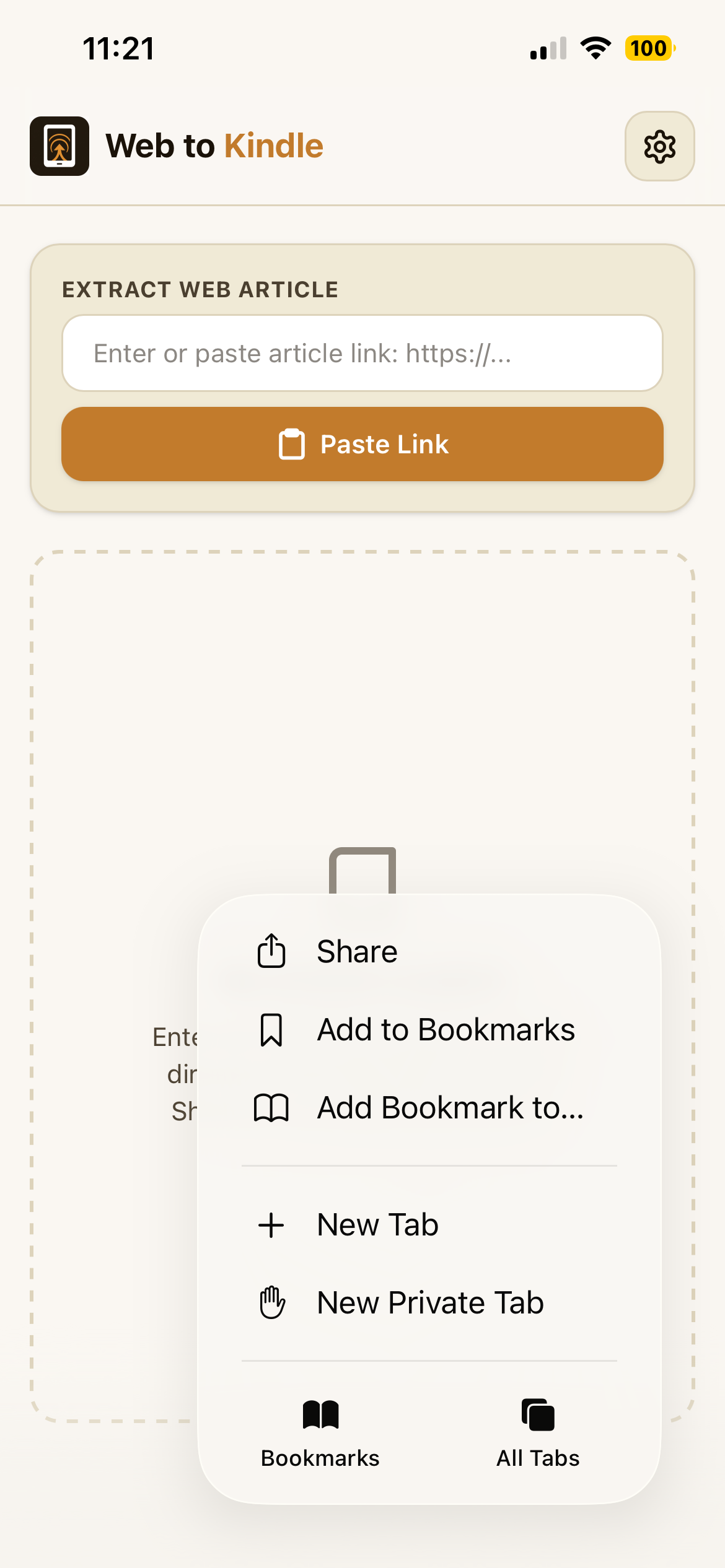
Tap the options menu button and select "Share" in Safari.
In the share sheet, tap the View More option (represented by a caret up icon under the application row) to expand the settings list. Scroll down the actions menu and select Add to Home Screen.
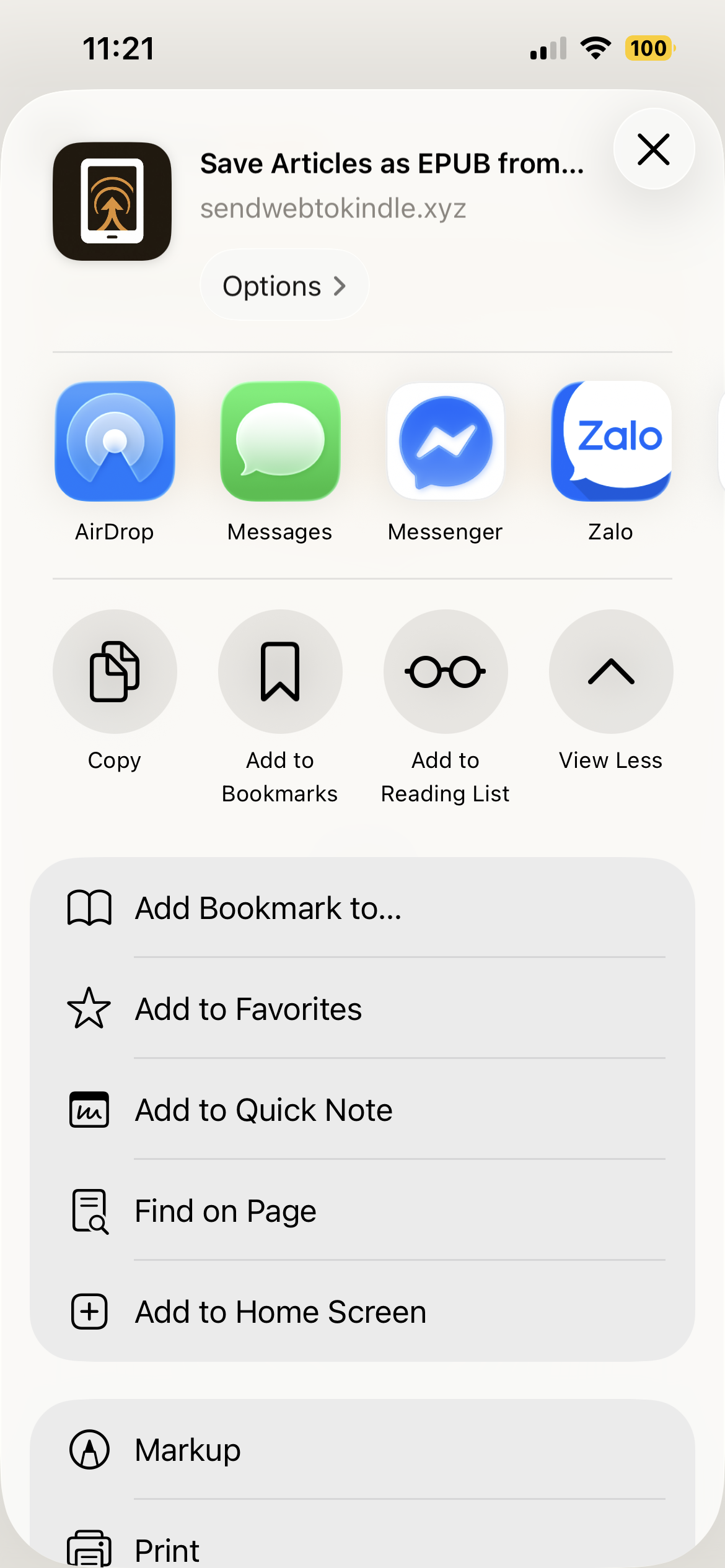
Expand the share menu and select "Add to Home Screen".
You can edit the app name if you wish (defaults to "Send Web to Kindle"). Ensure the Open as Web App toggle is enabled (green), then tap Add in the top-right corner.
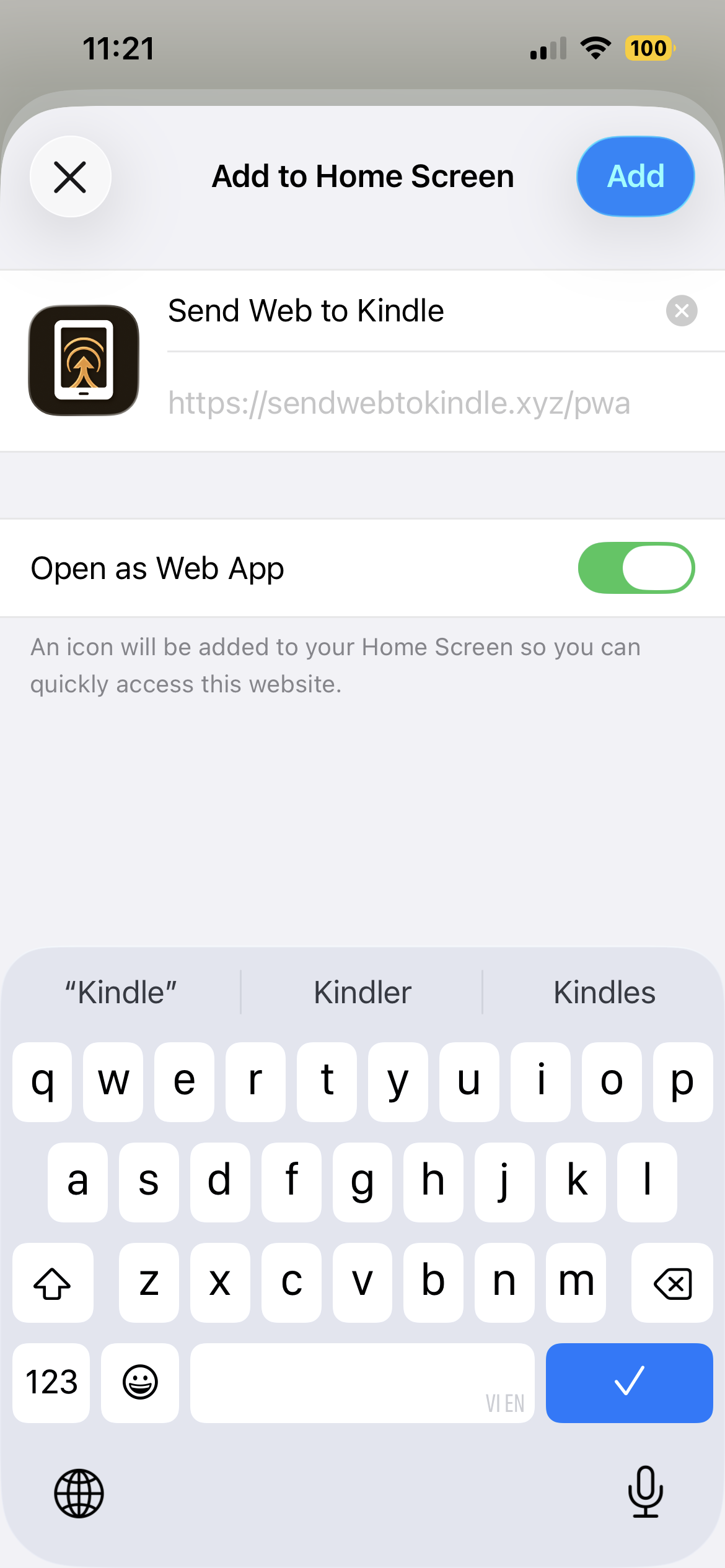
Keep "Open as Web App" toggled on and tap "Add".
Go back to your iPhone Home Screen. You will see the SendWebtoKindle app icon. Tap it to launch the app in full-screen mode instantly. Enjoy reading and sending your favorite web articles directly to your Kindle on the go!
Start using the web app straight from your iPhone Home Screen.
Open the Web App
Set it up now on your mobile device to enjoy a distraction-free Kindle extraction.
Go to PWA App